

Getting Started
Embedding Reviews

Hey there! 👋
We’ve made it incredibly easy to display your reviews exactly where you want them. Unlike the standard FacePop widget, the Reviews Widget doesn't require a sitewide footer connection or a verification process. You simply grab a piece of code and drop it onto any page.
Let’s walk through the steps!
1) Locate the Embed Section
To get started, open your FacePop dashboard and select the widget you want to share.
In the left-hand sidebar, look under the Share category.
Click on the Embed option.
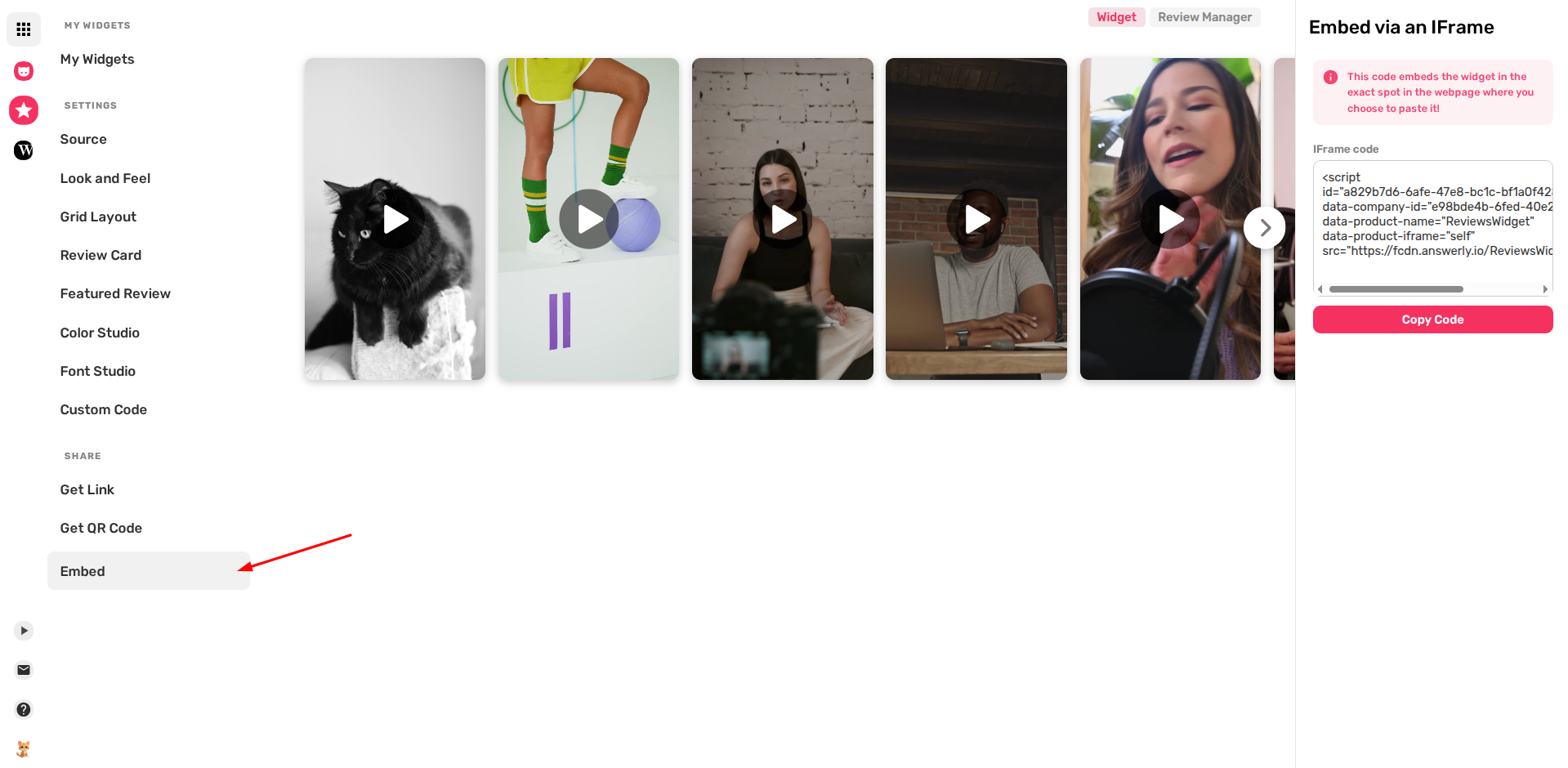
2) Copy your IFrame Code
Once you are in the Embed section, you will see a panel on the right titled Embed via an IFrame. This area contains a unique script designed specifically for your widget.
Click the Copy Code button to save it to your clipboard.
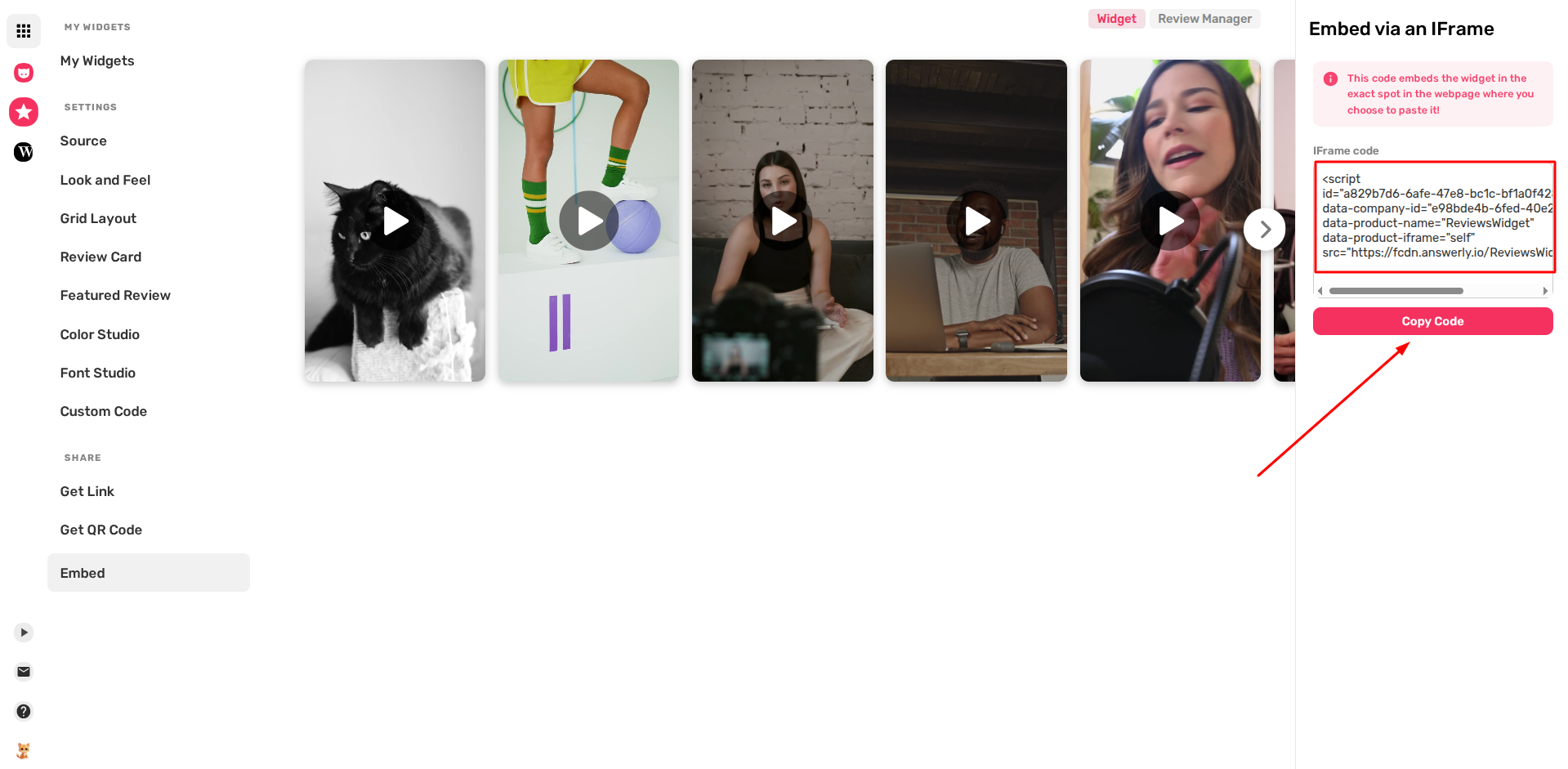
3) Paste the Code on Your Website
This code embeds the widget exactly where you place it.
- Open your website editor or source code
- Go to the page where you want the reviews
- Paste the script into the HTML section
No Verification Needed!
Since this is a direct IFrame embed, there is no need for additional verification steps. Once published, the widget will appear immediately.

Troubleshooting
Widget not showing?
Make sure your platform supports custom HTML/JavaScript embeds.
Alignment issues?
The widget fills its container, so adjust the width of the parent element if needed.
Easy as that! 🍰
If you need help, contact us at hi@facepop.io.
Happy Embedding!